
Introduction
The rise of self cleaning homes. In todays fast paced world time has become one of the most valuable resources. With busy schedule work pressure and daily responsibilities maintaining a clean home often becomes a challenge.
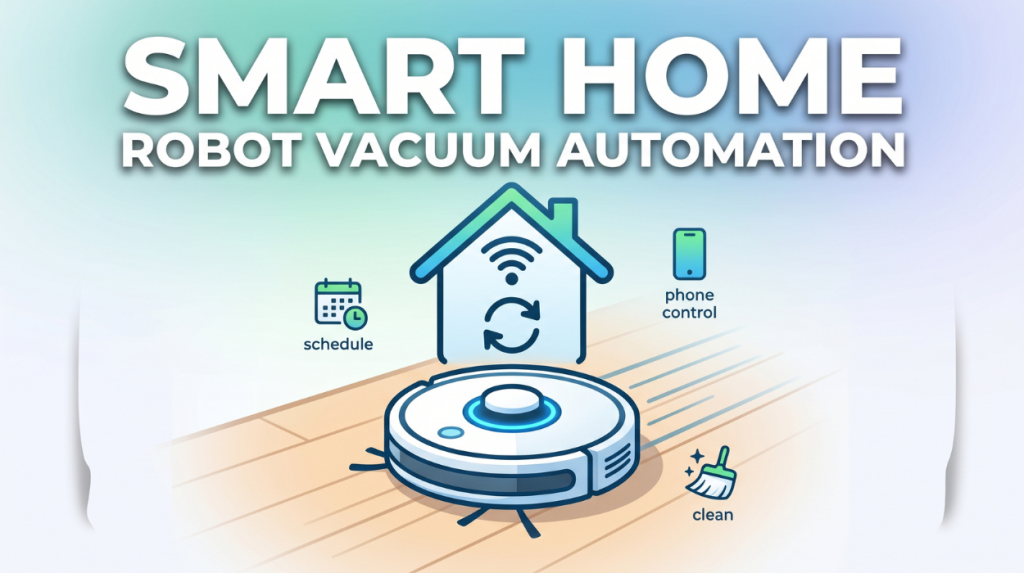
This is very smart Home Automation combined with robot vacuum cleaner is transforming modern living.
Imagine a home that cleans itself automatically while you are at work, sleeping or even travelling.
No manual effort, no daily stress just a clean organised a space. This is no longer futuristic; it’s already happening in thousands of homes worldwide.
With the integration of smart assistant like Amazon Alexa and Google Home robot vacuums have become an essential part of the smart home ecosystem.
This guide will help you understand everything of Smart home with robot vacuum automation from setup to automation, advanced features, real life usage and future trends.
What is Smart Home Robot Vacuum Automation?
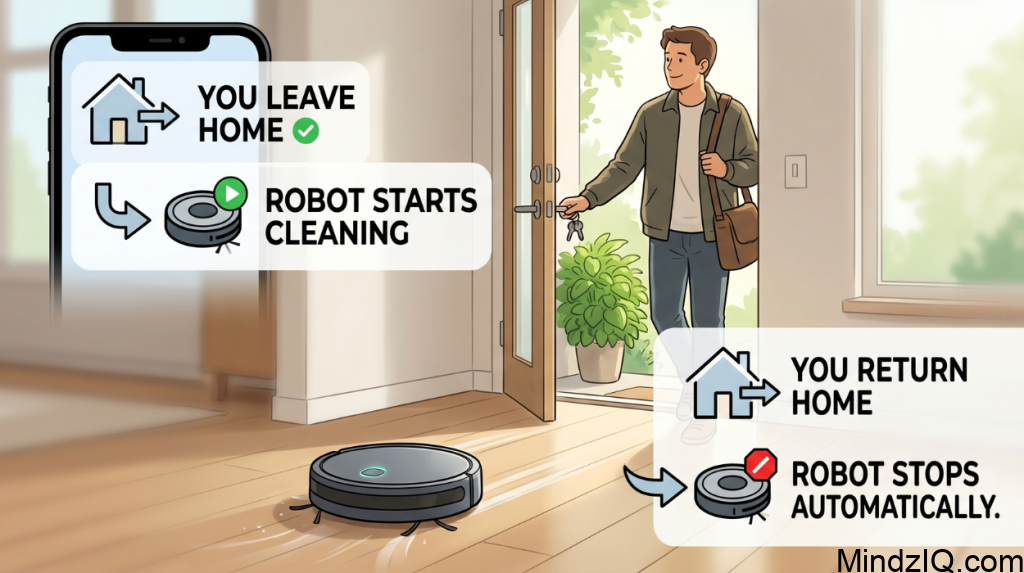
Smart home robot vacuum automation is the process of integrating a robotic Vacuum Cleaner into a connected home system so that cleaning happens automatically without manual intervention.
Key components:
- Robot vacuum cleaner-automatically cleans floors
- Smart home system-connects devices via Wi-Fi
- Automation rules-triggers actions based on conditions
Simple example:
- As soon as You leave your home the robot vacuum starts cleaning.
- When You return to the home cleaning stops Automatically this creates a full automated cleaning cycle.
How Robot Vacuum Fits into Smart Home Ecosystem
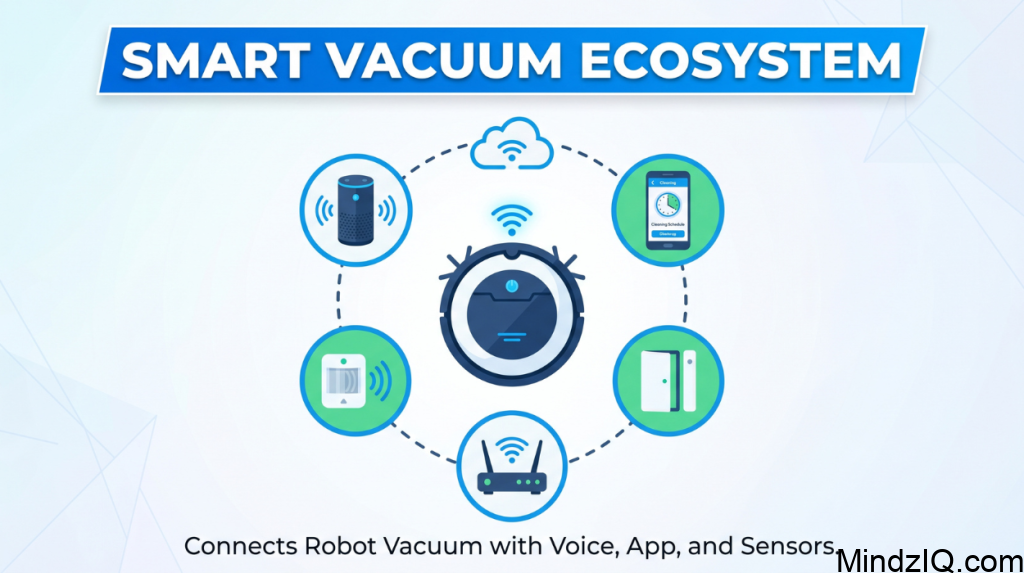
Robot vacuum becomes powerful when it connects with other Smart devices
Integration elements:
- Smart speakers (voice commands)
- Mobile apps (control and scheduling)
- Motion sensors
- Door sensors
- Wi-Fi routers
Example smart flow:
- 1. Phone GPS detects you left home
- 2. Smart system Trigger cleaning
- 3. Vacuum maps and cleans rooms
- 4. Returns to dock before you arrive
This is called a smart cleaning ecosystem
Step by step setup guide
1. Connect robot vacuum to Wi-Fi
- Download the official app
- Connect device to 2.4 GHz Wi-Fi
- Sync with your account
2. Install smart Home app
- Use Alexa or Google Home apps
- Link robot vacuum account
3. Map your home
- Let the robots scan your rooms
- Save layout for future cleaning
4. Create cleaning schedule
- Daily or weekly timing
- Room specific cleaning
5. Enable voice control
Example commands:
Start to the cleaning
Clean the living room
6. Create automation rules
As you Leaves home then start cleaning
At Night time should be on silent mode
After cooking done start kitchen cleaning
Powerful Smart Automation Ideas
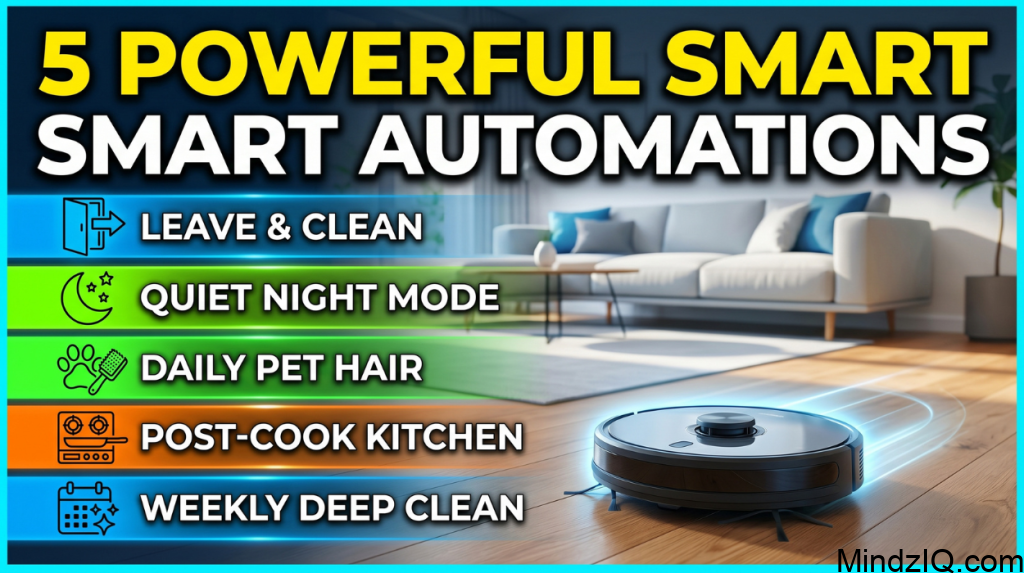
1. Leave home automation
Automatically start cleaning you leave
2. Night Mode cleaning
Runs quietly during sleeping hours
3. Pet Hair automation
Daily cleaning for homes with pets
4. Kitchen cleanup Trigger
Clean after cooking activity
5. Scheduled deep cleaning
Weekly full home cleaning automation
AI And Smart Features Explained
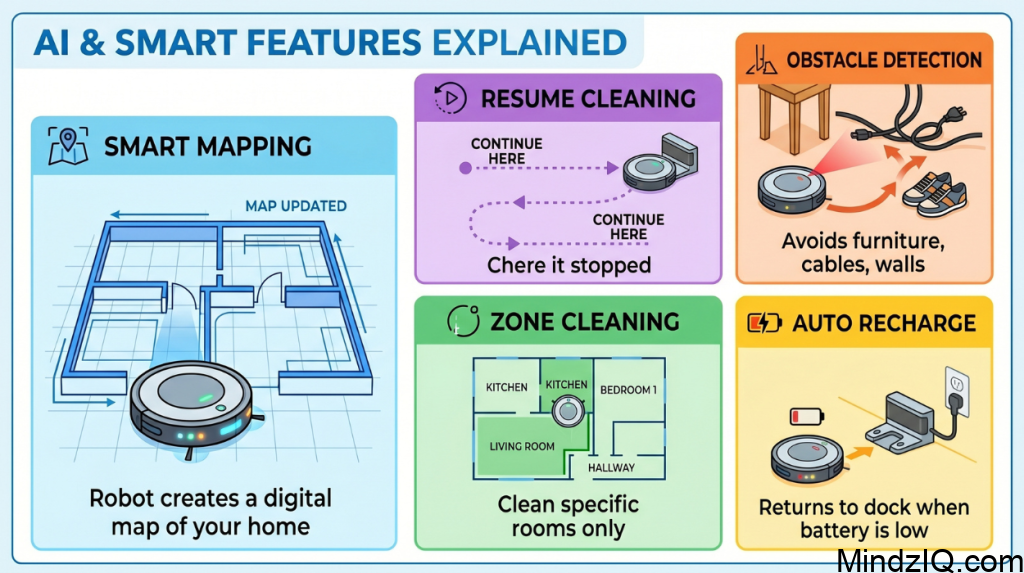
Smart mapping
Robot creates a digital map of your home
Obstacle detection
Avoids furniture, cables, walls
Auto recharge
Returns to dock when battery is low
Resume cleaning
Continues from where it stopped
Zone cleaning
Clean specific rooms only
Real life Smart home cleaning routine
Morning:
No cleaning (family active)
Afternoon:
Light cleaning in empty rooms
Evening:
Kitchen clean up after cooking
Night:
Silent full house cleaning
Result: always clean home without effort
Common Problems and their solutions
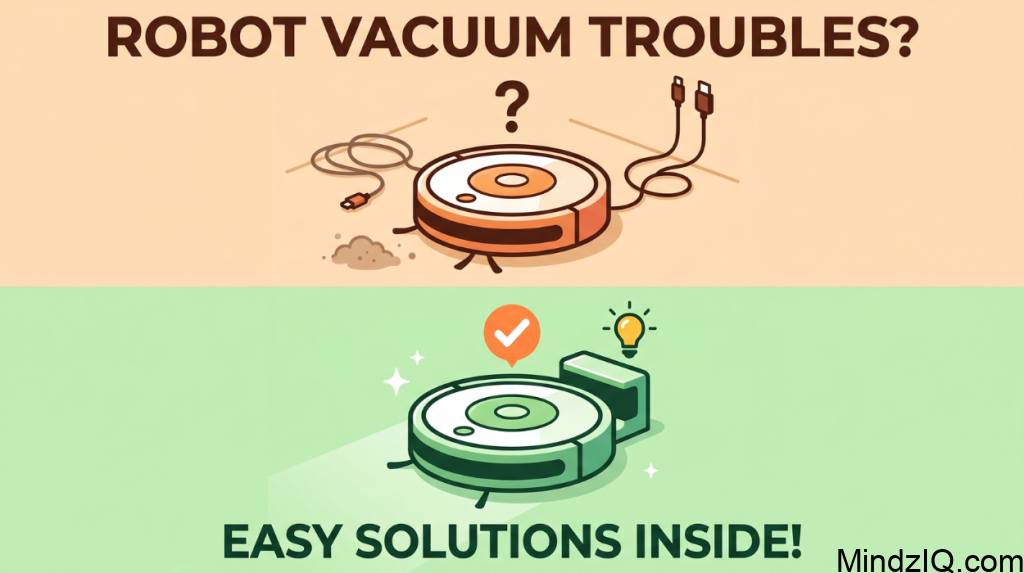
1. Robot vacuum not following schedule
Problem: you set a cleaning time but the robot doesn’t start automatically
Causes:
- Weak or disconnected Wi-Fi
- App not syncing properly
- Time zone mismatch
- Power outage reset
Solution:
- Ensure stable Wi-Fi (2.4 GHz preferred)
- Open the app and resave the schedule
- Check device time zone Settings
- Restart both robot and router
Pro Tip: always keep the robot docked and powered on
2. Connectivity issues with smart Home systems
Problem: robot doesn’t respond to voice commands or app control
Causes:
- Device not linked to Amazon Alexa or Google home
- Weak Wi-Fi signal
- App permission disabled
Solution:
- Re link the vacuum account in Alexa or Google home
- Place router close to device
- Enable all required app permissions
Pro tip: name your device to simple names like vacuum for better voice recognition
3. Mapping errors (wrong room detection)
Problem: robot Misses rooms or shows incorrect map layout
Causes:
- Furniture moved frequently
- Interrupted mapping process
- Low light (for camera based robots)
Solution:
- Reset map and Run full cleaning scan
- Keep doors open during mapping
- Avoid moving furniture initially
Pro tip: do mapping in day light for better accuracy
4. Robot missing spots while cleaning
Problem: after cleaning some areas are still dirty
Causes:
- Low suction mode
- Cluttered the floor
- Poor navigation path
Solution:
- Increase suction power in settings
- Remove obstacles (wires, toys)
- Use zone cleaning features
Pro tip: divide home into zones for a deep cleaning
5. Battery drains too fast
Problem: robot stop completing cleaning
Causes:
- Old battery
- Large home area
- High suction mode always on
Solution:
- Allow auto recharge feature
- Replace battery if old
- Used balanced cleaning mode
Pro tip: schedule cleaning room wise instead of full house at once
6. Robot gets stuck frequently
Problem: robot stops due to obstacles
Causes:
- Loose wires
- Thick Carpets
- Narrow spaces
Solution:
- Use no go zones in app
- Remove cables and small objects
- Adjust furniture spacing
Pro tip: use virtual walls to block problematic areas
7. Automation not triggering properly
Problem: smart routines ( like leave home-clean) don’t work
Causes:
- GPS or location permission off
- Automation rule not saved a correctly
- Delay in cloud Sync
Solution:
- Enable location access in phone
- Recreate automation rule
- Check app integration setting
Pro tip: test automation manually once after setup
8. Dustbin fills too quickly
Problem: robot stops due to full dustbin
Causes:
- High dust Environment
- Pet hair accumulation
Solution:
- Empty dustbin Daily
- Clean filter weekly
Pro tip: Upgrade to self empty model if needed
9. Robot making unusual noise
Problem: loud or strange sounds during operation
Causes:
- Debris stuck in brush
- Worn out parts
Solution:
- Clean brushes and wheels
- Replace damaged parts
Pro tip: weekly maintenance prevents long term damage
10. App not responding or crashing
Problem: mobile app freezes or doesn’t control the robot
Causes:
Outdated app version
Phone compatibility issue
Solution:
- Update the app
- Clear cache or reinstall
- Restart phone
Benefits of Smart Home With Robot Vacuum Automation
| Feature | Benefit |
| Automatic cleaning | Saves time |
| Smart scheduling | No effort needed |
| AI navigation | Efficient cleaning |
| Integration | Full automation |
| Voice control | Easy operation |
Limitation of Robot Vacuum Automation
- Cannot clean stairs
- Struggles with heavy dirt
- Needs regular maintenance
- Initial investment required
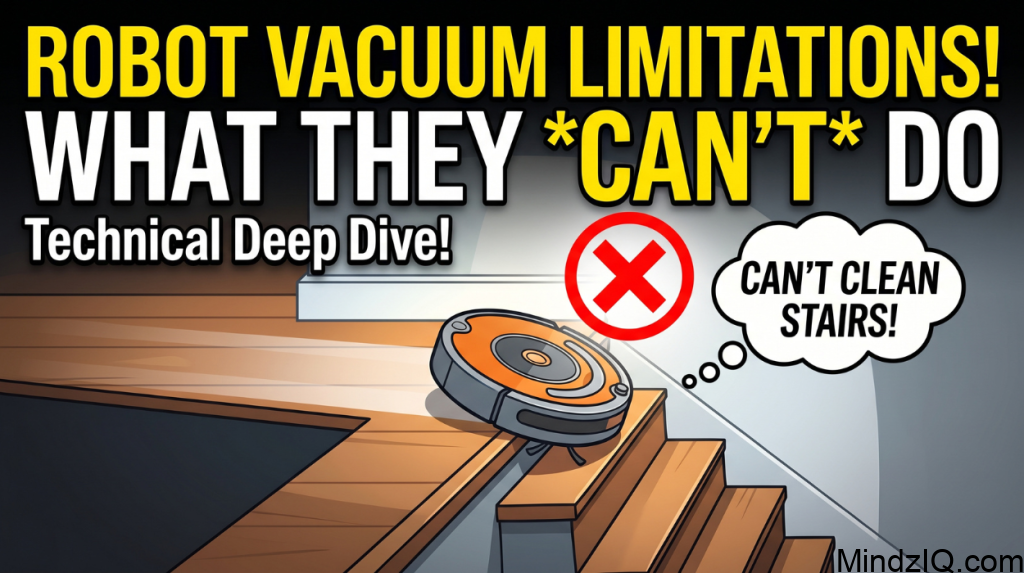
Technical Deep dive
Sensor used:
- Infra red sensors
- Cliff sensors (avoid falling)
- Gyroscope
- Camera or Lidar
Connectivity:
- Works on Wi-Fi
- App control
App processing:
- Learns room layout
- Optimizes cleaning path
Smart Cleaning in Different Homes
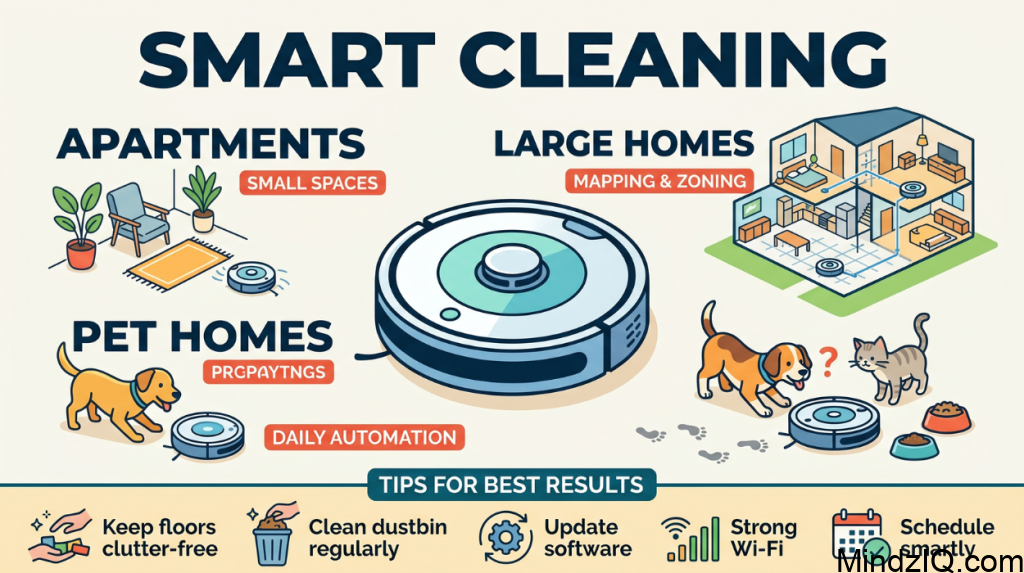
Apartments: perfect for small Spaces
Large homes: Needs mapping and zoning
Pet homes: daily automation required
All type of houses: works best on tiles and needs clutter management
Tips for Best Automation Results
- Keep floors clutter free
- Clean dustbin regularly
- Update software
- Use strong Wi-Fi
- Schedule smartly
Advanced Automation (Pro level)
- Use IFTTT automation
- Sync with motion sensors
- Create multi device routines
- Use geo location Triggers
Future of Smart Cleaning
The future of smartphone is moving toward fully autonomous living.
Upcoming innovation:
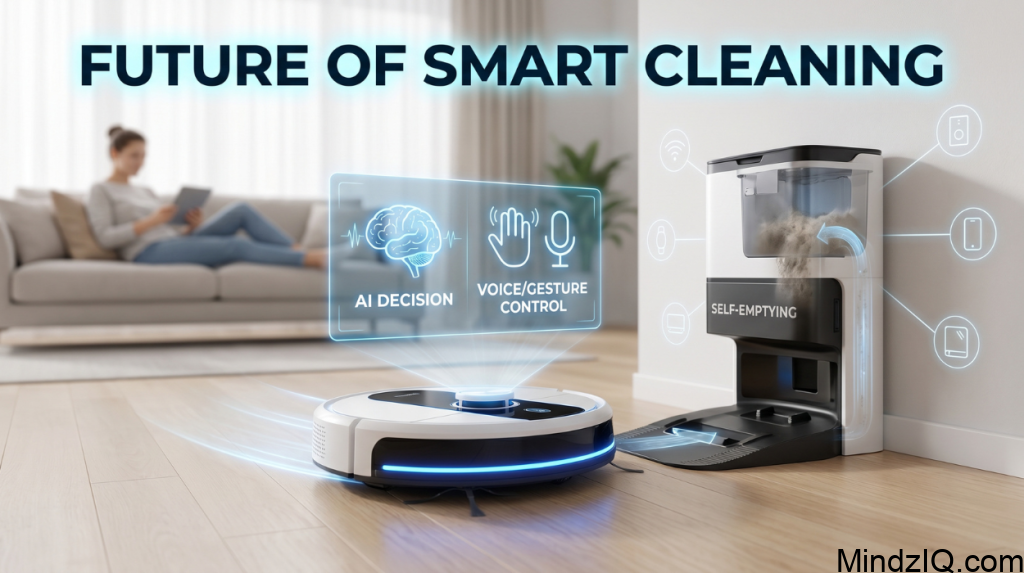
- Voice plus gesture control
- Integration with entire Home systems
- Self emptying robots
- AI based decision making
Soon, Homes Will clean themselves without any human inputs.
Why Smart Cleaning is Growing Fast

- Busy life style
- Rising Technology adoption
- Affordable smart devices
- Increased awareness
Frequently Asked Questions ( FAQ)
1. Is Robot vacuum worth it ?
Yes, especially for a daily maintenance cleaning
2. Can it replace manual cleaning?
Partially not 100% replacement
3. Does it work without Wi-Fi
Basic cleaning works without Wi-Fi but automation needs Wi-Fi
4. How often should it Run?
Daily or alternate days for a best results
5. What types of floors can they clean?
Robot vacuum work on:
Hardwood
Tiles
Carpet (low to medium pile)
High end models automatically adjust the suction depending on the surface
6. Are they energy efficient?
Yes robot vacuum consumes less power than traditional vacuum optimise clinic path to reduce energy use.
7. What should need to consider before buying?
home size and layout
Floor type
Budget
Smart home compatibility
Features like mopping, self-emptying, AI obstacle detection.
Conclusion
Smart Home Automation with robot vacuum cleaners is no longer luxury it is becoming a necessity of modern living. It’s saves time, reduces effort and ensure consistently clean home environment. By integrating automation, AI and smart systems you can Transform your home into a self cleaning intelligence space. Keep implemented correctly this is in can completely change your daily routine and improve your lifestyle.
Read More: Offline Smart Home Assistant.