
Introduction:
Smart homes have completely changed how we live. What once required manual effort like turning off lights or adjusting appliances can now be done with a simple voice command or automated routine.
This means your voice commands are process online, raising concerns about data security and constant connectivity.
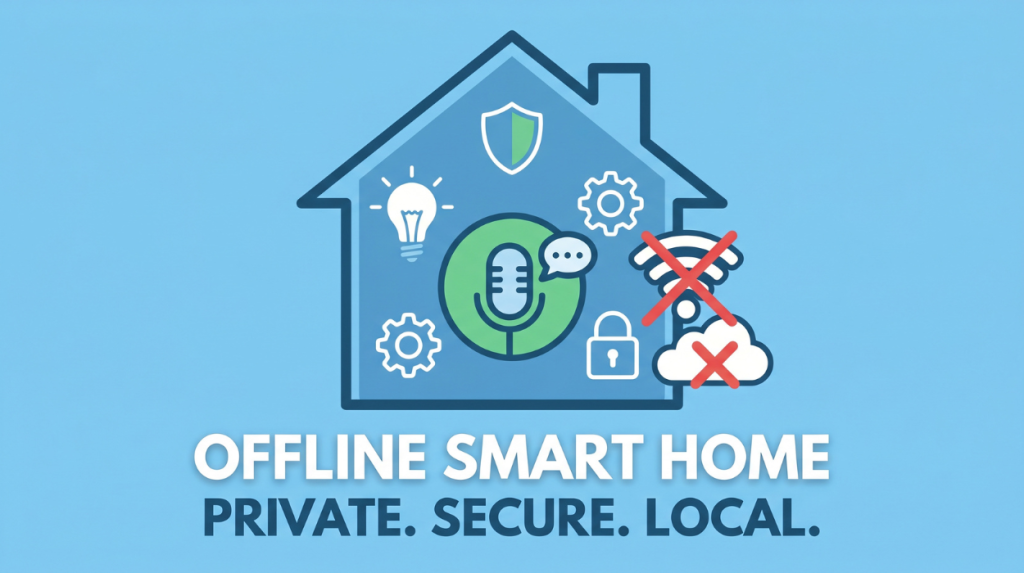
Now imagine a safer, smarter, alternative an offline Smart home assistant. This type of system works entirely within your home, without sending any data to the internet. It’s faster, more secure and gives you complete control over your home.
In this comprehensive guide you will learn everything from Basics to advanced setup so you can build your own offline Smart home assistant.
What is an offline smart home assistant?
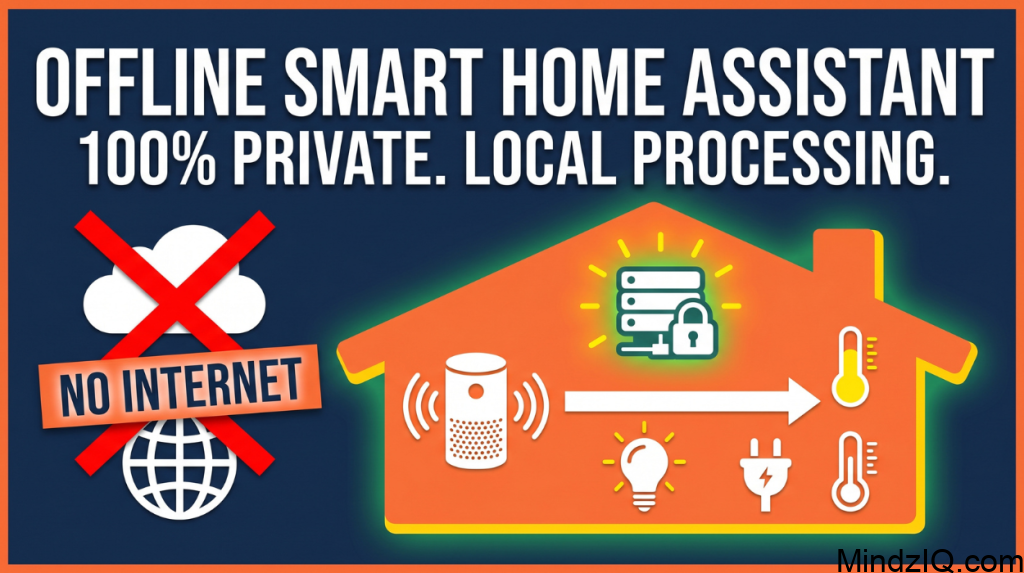
An self hosted smart system is a system that:
- Processes voice commands locally
- No internet connection required
- Controls smart devices within your home network
- Keeps your data completely private
Unlike cloud based assistants it does not rely on external server. Everything from speech recognition to device control happens on your local machine.
Key traits:
Local control: Automations and device dates are processed locally
No internet dependency: system operates individually during network failure
Private by default: no telemetry leaving your home
Fast response: Milisecond level actions
Popular platforms:
- Home assistant (more flexible)
- OpenHAB (modular)
- Domoticz (simple set up)
Why offline Smart home assistant are gaining popularity?
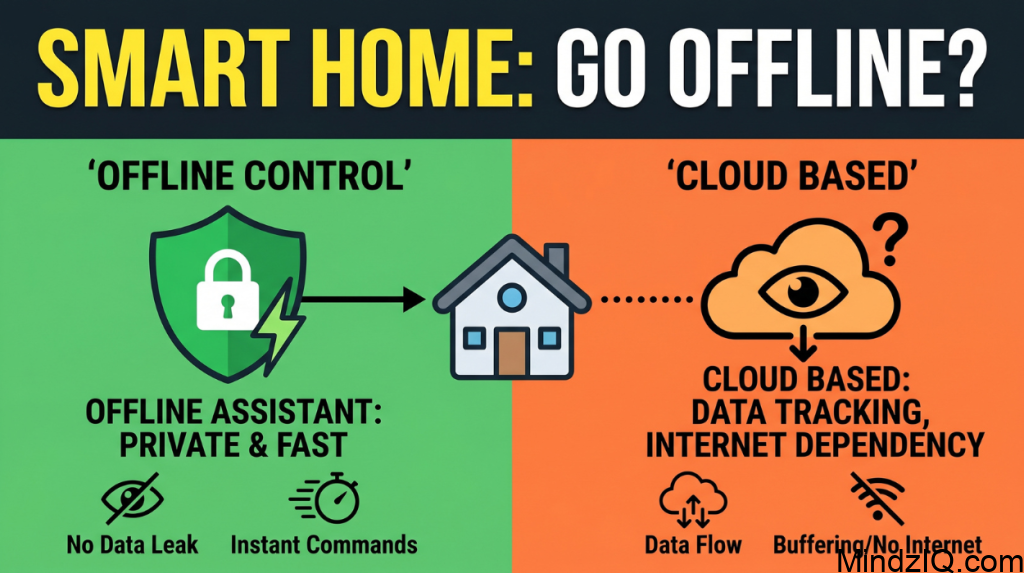
1. Privacy concerns
One of the biggest reasons people are shifting to appliances teams is privacy
Cloud assistants:
- Record voice commands
- Store data on remote server
- May analyse usage patterns
Offline assistant:
- Keep everything local
- No external data transmission
- No behavioral tracking
2. No internet dependency
Internet outages can break smart homes.
Offline assistant:
- Work anytime
- No lag due to network issues
- Ideal for areas with unstable internet
3. Faster performance
Since everything runs locally:
- Commands are processed instantly
- No delay from server communication
4. Full customisation
You are not limited by company restrictions
You can
- Create custom commands
- Design unique automation
- Integrated any compatible device
5. Reliability
No internet no problem. Lights locks and alarms still work. Automations continue to run 24/7.
6. No subscriptions
Avoid monthly fees for cloud storage premium features or remote access
7. Speed
Local processing eliminates round trip latency to remote server
8. Security by design
Fewer external connection and smaller attack surface. You can control updates higher wall rules and device access.
How offline Smart Assistant Work
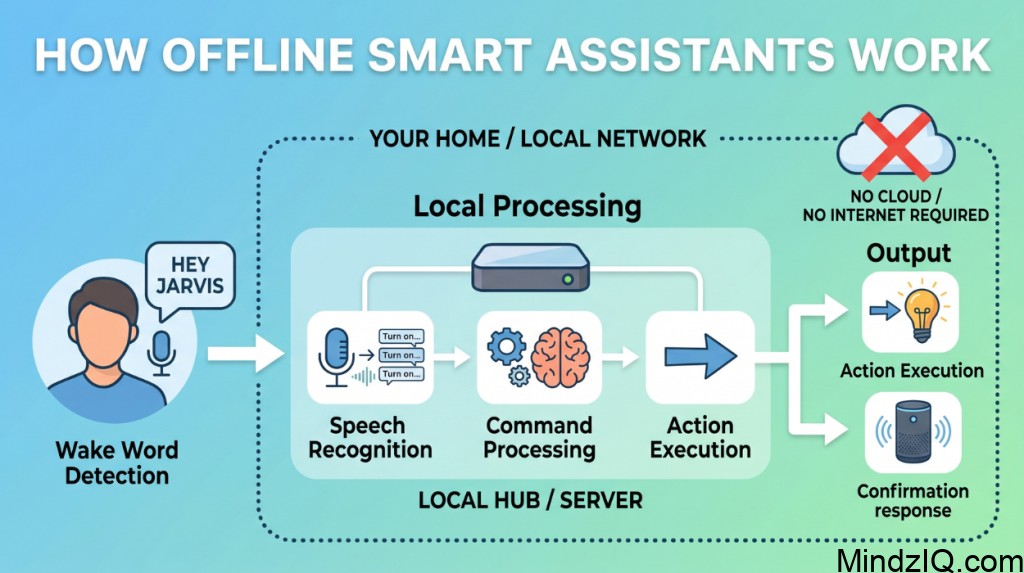
Understanding the work flow makes building easier
Step 1: wake word detection
You say a trigger phrase like
- Hey Jarvis
- Hello home
Step 2: speech recognition
Your voice is converted into text using offline tools
Step 3: command processing
The system understands what you want
Step 4: Action execution
The assistant send commands to smart devices
Step 5: voice response
It replies with confirmation
Robust offline system includes:
- Local hub / server: runs your automation platform (e.g. Home assistant)
- Device network: zigbee /Z-wave / thread mesh or local Wi-Fi devices
- Voice layer (optional): offline speech recognition+ TTS
- Storage: local database + backups
- UI layer: dashboards on phones / tablets
Data flow (example):
Motion sensor-hub- automation-light turns on (all local)
Key components of an offline smart home assistant
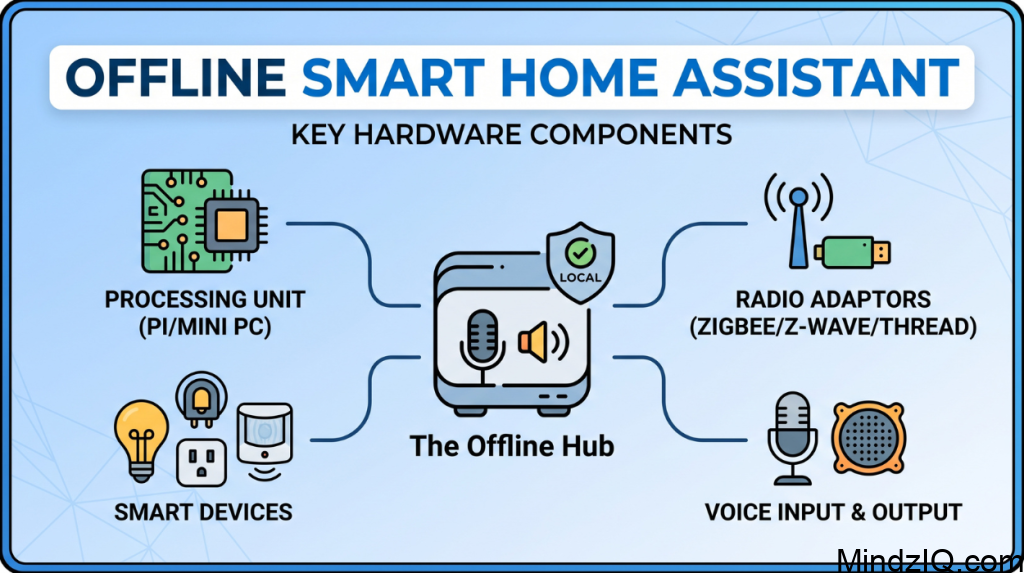
Hardware requirements
1. Processing Unit
- Raspberry Pi (recommended)
- Mini PC or old laptop
2. Microphone
- USB microphone
- Mic array for better accuracy
3. Speaker
For voice responses
4. Smart devices
- Smart bulbs
- Smart plugs
- Smart switches
- Sensors
Hardware choices
A. Hub or server
Beginner: Raspberry Pi 4/ 5 (4-8 GB RAM)
Best value: mini PC (Intel N100/305)
Advanced: home server (promox /unraid)
Why a mini PC? Because it is more reliable for storage (SSD), better CPU for cameras and voice.
B. Radio adaptors (for non Wi-Fi devices)
- Zigbee USB dongle (e.g. Sonoff ZBdongle)
- Z-wave USB stick
- Thread border router (for matter /thread devices)
C. Devices(local first)
- Zigbee bulbs /switches (Philips Hue, IKEA TRADFRI used locally)
- Z-wave locks and sensors
- Wi-Fi devices with local API (ESPhome, Tasmota)
Communication protocols
Zigbee
- Low power mesh
- Excellent for sensors and bulbs
- Works Locally with a coordinator
Z wave
- Reliable long range
- Great for locks and Critical devices
Thread / matter
- Emerging standard for local interoperability
- Works will with border routers Wi-Fi (local )
- Use ESPHome / Tasmota to avoid cloud lock-in
Software requirement
1. Home automation platform
- The central control system
- Home assistant
2. Voice assistant framework
- Rhasspy
- Mycroft AI
3. Speech Recognition (offline)
- Vosk
- PocketSphinx
4. Text to speech (TTS)
- eSpeak
- Festival
Step by step guide to build an offline Smart home assistant
Now let’s build your system from scratch
Step 1: set up hardware
Start with Raspberry Pi
Setup:
1. Install Raspberry Pi OS
2. Connect microPhone and speaker
3. Connect to local Wi-Fi
Step 2: install home assistant
Install:
Home assistant
This will manage all smart devices.
Step 3: Install Rhasspy
Install:
Rhasspy
Rhasspy handles:
Wake word detection
Speech recognition
Command processing
Step 4: configure wake word
Choose a custom Trigger:
Jarvis
Assistant
Hello home
Step 5: define commands
Examples:
Turn on the lights
Switch off the fan
Set temperature
You can customise phrases easily
Step 6: connect smart devices
Add devices to home assistant:
Zigbee devices
Wi-Fi switches
Smart plugs
Step 7: link commands to actions
Example:
Command-turn on bedroom light
Action-light ON
Step 8: Add voice feedback
Assistant responses:
Light turned on
Fan switched off
Final checklist:
- Local hub installed
- Zigbee /Z-wave network running
- Devices paired locally
- Automations created
- Voice assistant working offline
- Backups scheduled
- Remote access via VPN
Example real life work flow
1. You say: hey Jarvis
2. Assistant activate
3. You say: turn on fans
4. System processes locally
5. Fans start to rotate
6. Assistant replies: done
Best offline tools for private home assistants
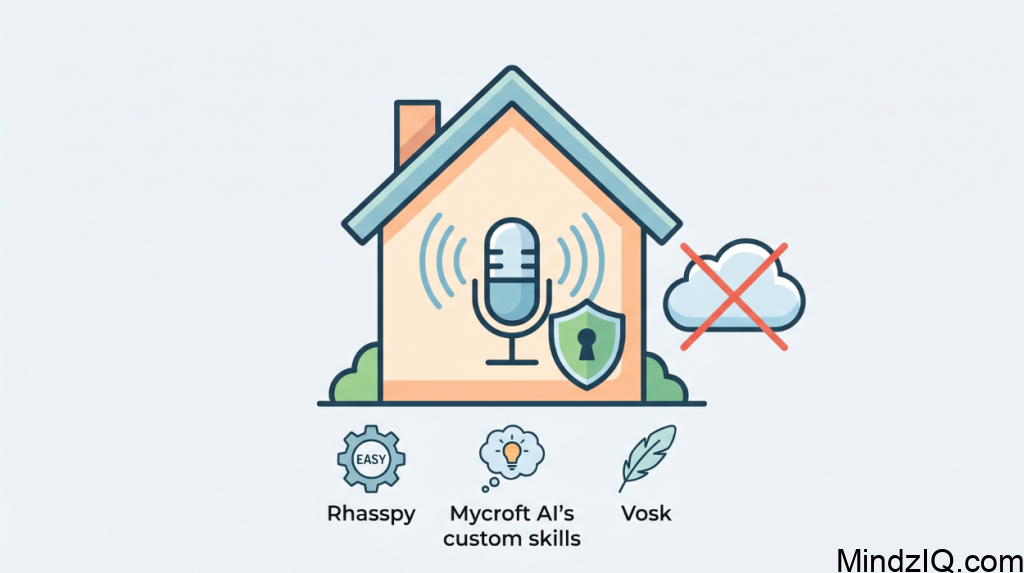
1.Rhasspy
Beginner friendly
Fully offline
2. Mycroft AI
Advanced features
Custom skills
3. Vosk
Lightweight
Work on low end devices
Types of devices you should use to ensure offline functionality.
Choose Devices that support local control.
Recommended:
- Zigbee devices
- Z-wave devices
- Local Wi-Fi devices
Avoid:
Cloud only devices
Smart automation ideas
Morning routine
- Lights switch on
- Curtains open
- Coffee machines starts
Night routine
- Lights switch Off
- Doors locked
- Alarm activated
Energy saving mode
- Turn off unused a devices
- Adjust temperature automatically
Challenges of edge based assistants
1. Limited knowledge
Cannot answer:
- Weather updates
- Online queries
2. Set up complexity
Initial set up requires effort
3. Hardware limitations
Performance depends on device power
How to overcome challenges
- Use powerful Raspberry Pi 4
- Optimise commands
- Use better microphones
- And local AI models
Advanced features you can add
1. Local AI Integration
Run AI models locally for:
- Conservations
- Smart suggestions
2. Multi room control
Control devices room wise
3. Mobile app control
Use local Apps without internet
4. Face recognition
Identify users and personalize actions
Offline versus online assistant: final comparison
| Feature | Offline | Online |
| Privacy | High | Moderate |
| Speed | Fast | Depends |
| Internet | Not Required | Required |
| Customization | Full | Limited |
Who should build an offline Smart home assistant?
Perfect for:
Privacy conscious users
- DIY enthusiasts
- Tech learners
- Rular users with poor internet
Future of offline smart homes
The future is shifting towards local processing and privacy first systems.
Trend include:
- Edge AI for cameras and voice
- Offline voice assistant
- Secure smart ecosystems
- Local LLMs for natural conversations
- Faster cheaper Mini PCs
Offline assistant will soon become a major alternative to cloud based systems
Final thoughts:
Building and offline Smart home assistant is not just a technical project it’s a Lifestyle upgrade.
You gain:
Privacy
Speed
Full control
Start simple:
One device
One command
Then expand gradually
Over the time your home becomes smarter, faster, completely private
Conclusion
An offline private home is faster, safer and fully under your control. With plat forms like home assistant and tools such as a Rhasspy you can be future proof system that respect your privacy and work reliability even without the internet. If you are serious about security, Independence and performance going offline isn’t just an option anymore, it’s the smartest choice.
An local automation system represents a powerful shift to a privacy first and self reliant Technology. At the same time it offers reliable performance even during network outages making everyday automation like lighting, security and climate control more stable and responsive.
For those who priorities security, customisation and uninterrupted functionality an offline Smart home assistant is not just an alternative it is the future of smart living.
Read More: Smart Home for Sleep Optimisation.